Step-by-Step Guide to Surface Preparation for Equotip Portable Hardness Testing
Since 60% of portable hardness testing errors stem from poor preparation, mastering your surface preparation is non-negotiable. Learn how to ensure adequate surfaces for precise and repeatable measurements.


Newsletter
Get the best NDT and InspectionTech content delivered straight to your inbox
Master Surface Preparation for Reliable Hardness Readings
In the world of portable hardness testing, the accuracy of your data is only as good as the surface you are testing on. Because hardness testing is a surface-based measurement, any material sitting between the indenter and the metal—be it rust, paint, or grease—will directly interfere with your readings.
Whether you are using the Leeb or UCI method or Portable Rockwell, proper preparation ensures that your Equotip device measures the true hardness of the material rather than the surface contaminants. This is also why corroded or damaged reference test blocks should no longer be used — surface condition directly affects measurement reliability.
Why Surface Preparation Matters.
The indenter must make direct, clean contact with the metal. Common "interference" factors include:
- Oxidation and Rust: Testing on a corroded or oxidized surface means you are measuring the hardness of the oxide layer — not the base material underneath, whether that is steel, brass, aluminum, or another alloy.
- Surface Debris: Paint, oil, grease, and dirt must be completely removed.
- Roughness: Excessive surface roughness can cause scattering in Leeb results or unstable readings in UCI testing.
- Low indentation: Unlike benchtop (stationary) testers that apply high loads and produce deep indentations, portable devices use much lower forces. This makes the measurement more sensitive to surface roughness — rough surfaces introduce both systematic bias (shifting the average reading) and increased scatter (reducing repeatability)
- Reliable results: Approximately 60% of all issues with portable hardness testing originate from wrong surface preparation
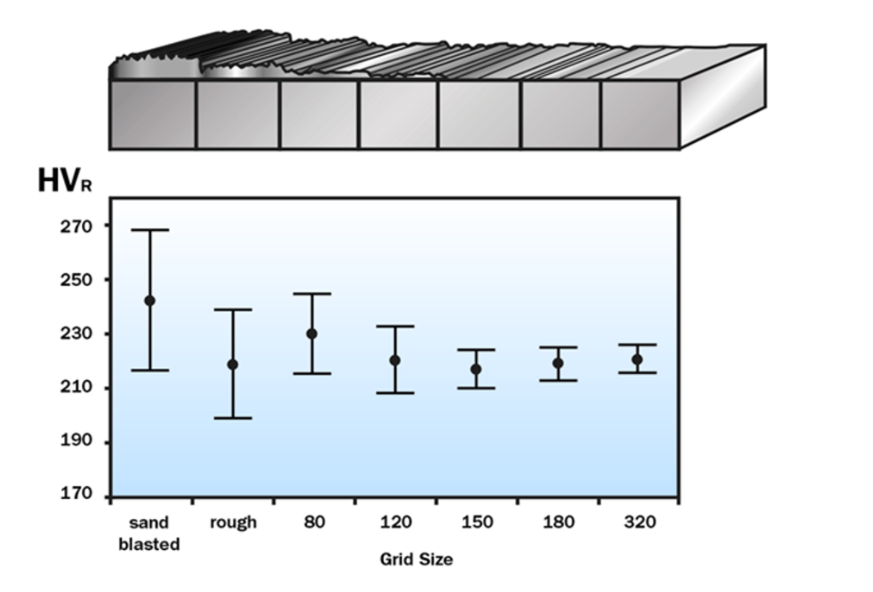
Fig. 1 — Effect of surface roughness on measurement scatter (data spread)."
Fig. 1 clearly shows that better surface preparation reduces measurement scatter. Surfaces prepared with grit size P150 or finer show no significant change in data spread, indicating that roughness is no longer a meaningful contributor at this level. In contrast, coarser preparation methods result in noticeably higher scatter, confirming that surface roughness is a dominant factor when preparation is insufficient.
In practical terms, this means you cannot 'over-prepare' a surface for hardness testing — but you can certainly under-prepare it, and pay the price in poor repeatability. The good news is that this is entirely within the operator's control. Several international standards, including ISO 16859 (Leeb), ASTM A956, and ISO 6507 (Vickers), define minimum surface preparation requirements for portable hardness testing. Following these guidelines is one of the simplest ways to improve measurement quality in the field.
Equotip 550 Measurement Wizard
Some portable hardness testers, such as the Equotip 550, include built-in guidance that recommends surface preparation parameters based on the selected probe and application. Once you connect your appropriate impact device, the Equotip 550 will:
- Recommend the impact device best suited for your specific application.
- Specify the necessary surface preparation required for the test you are about to perform.
- Suggest the ideal surface condition (average surface roughness) to ensure accuracy.
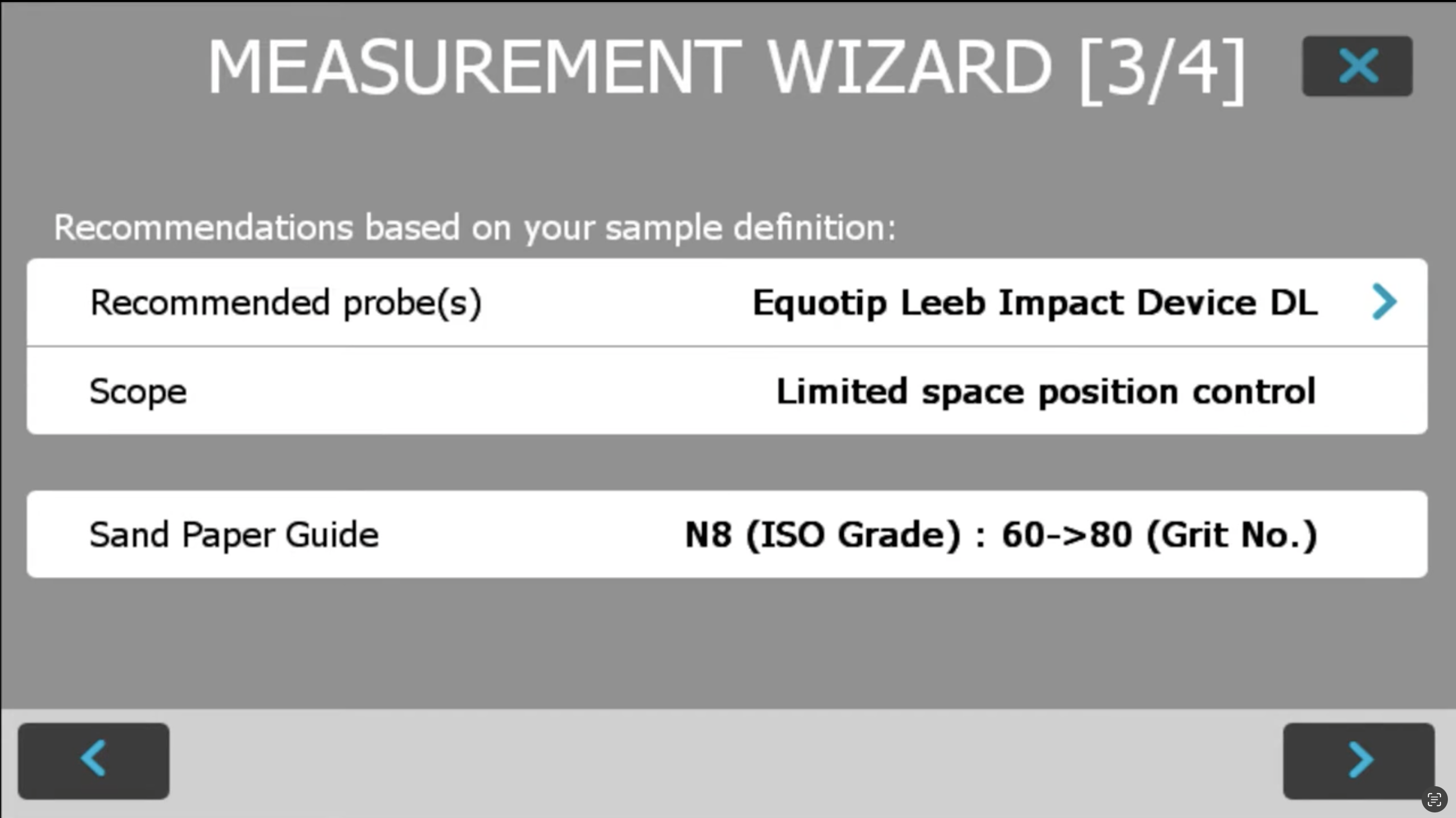
Fig. 2 — Screenshot of the Equotip 550 measurement wizard
Step-by-Step Preparation Workflow
- Analyze Your Starting Point
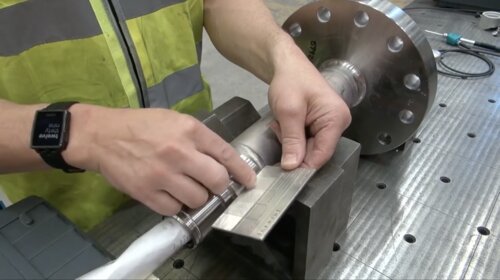
Before grinding, use the surface roughness comparator plate included in your package to identify the initial condition of your test sample. This helps you determine how much material needs to be removed.
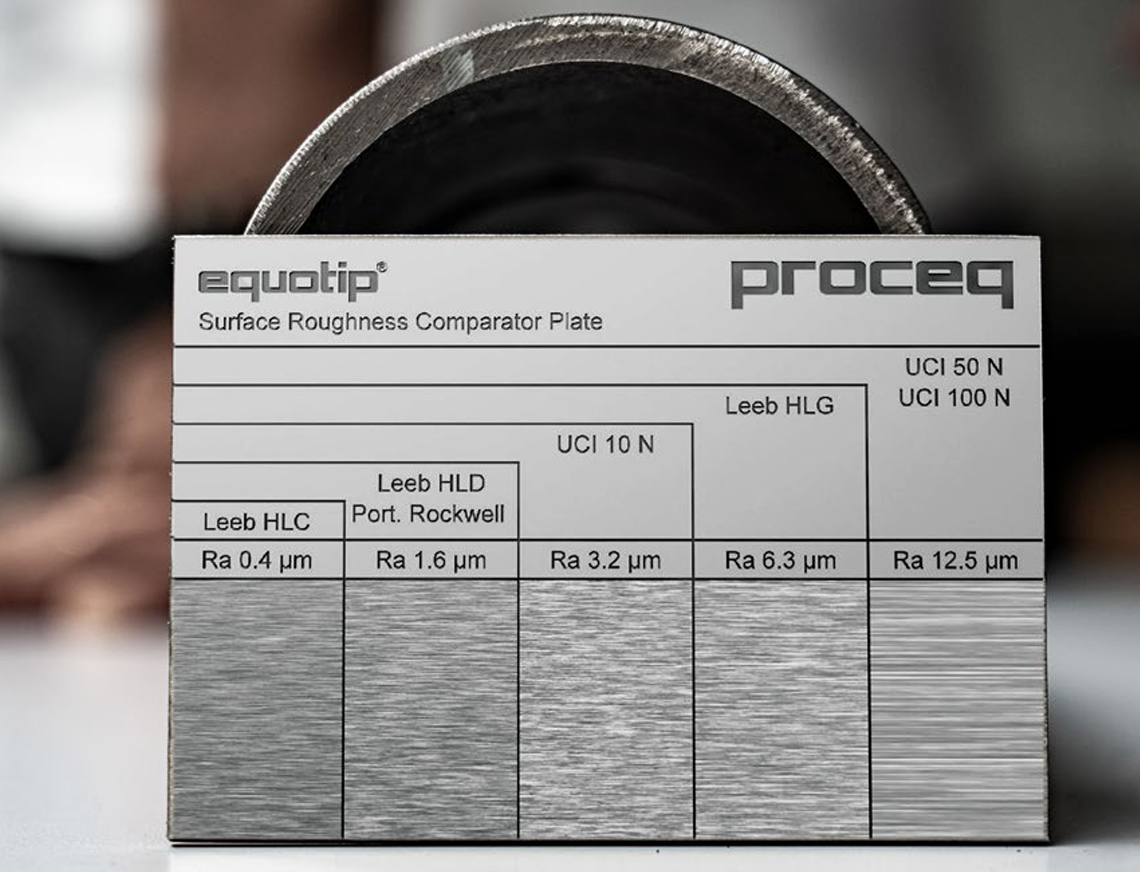
Fig. 3 — Equotip Surface Roughness Comparator Plate.
Each section of the Equotip Surface Roughness Comparator Plate.represents a different average roughness (Ra) value, with the corresponding probe types and their maximum allowable roughness marked above. For example, Leeb HLD and Portable Rockwell require Ra ≤ 1.6 µm, while UCI probes at higher loads (50 N, 100 N) can tolerate surfaces up to Ra 12.5 µm.
Run your fingertip across the prepared surface and compare it to the plate to quickly verify whether your preparation meets the minimum requirement for your probe.
2. Mechanical Cleaning (Power Tools)
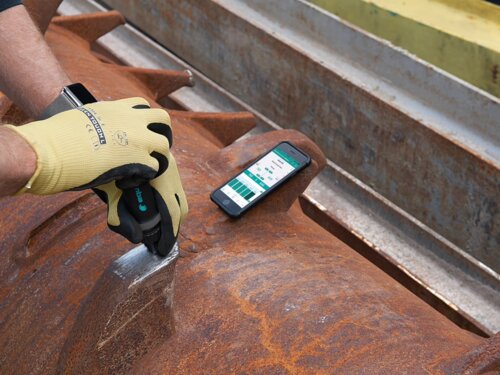
For heavy rust or rough surfaces, a battery-powered angle grinder is a highly effective field tool. Check out the demo video with Tom Ott.
- Use a Flapper Wheel: A 120-grit flapper wheel is generally sufficient for most hardness testing.
- Manage Heat: Flapper wheels are preferred because they tend to self-cool, preventing the metal surface from overheating, which could accidentally change the local hardness of the material.
- The Crosshatch Technique: To avoid waviness, move the grinder in a crosshatch pattern. This evens out the surface and eliminates the deep "lines" left by the abrasive.
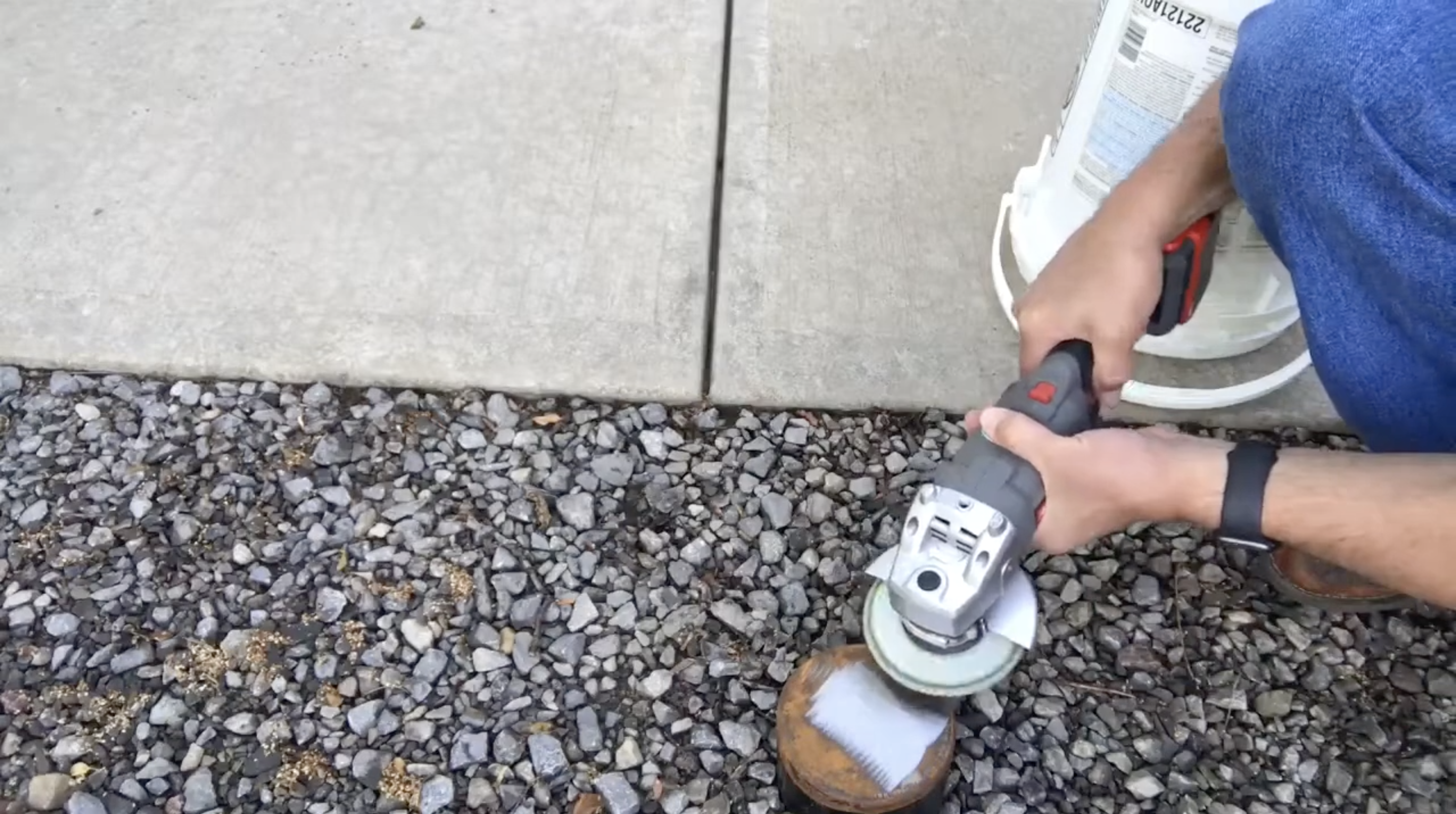
Fig. 4 — Tom Ott demonstrating the crosshatch technique
3. Fine Refinement
Depending on your specific Equotip probe, you may need a finer finish.
- Progress through different grades of sandpaper to achieve the desirable average surface roughness.
- Refer to your sandpaper guide or the device's on-screen recommendations to match the grit to your specific impact device.
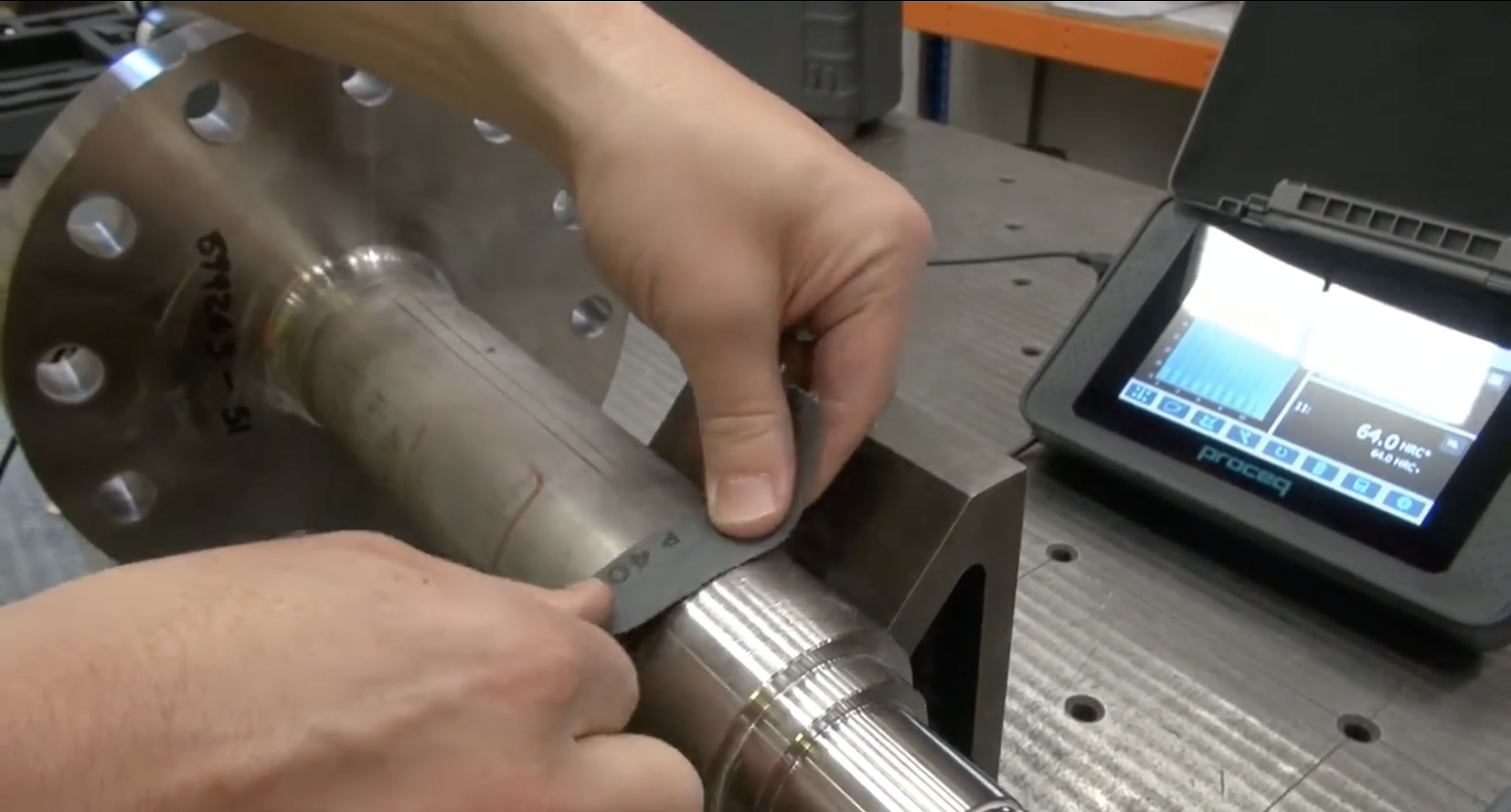
Fig. 5 — preparing the surface with sandpaper
4. Final Cleaning & Verification
Once the grinding is complete, clean the surface thoroughly to remove any leftover debris or dust.
To verify the finish without a bulky profile gauge, use your surface roughness comparator plate again. Run your finger across the prepared area and compare the tactile feel to the plate. If your surface feels smoother than the minimum requirement on the plate, you are ready to test.
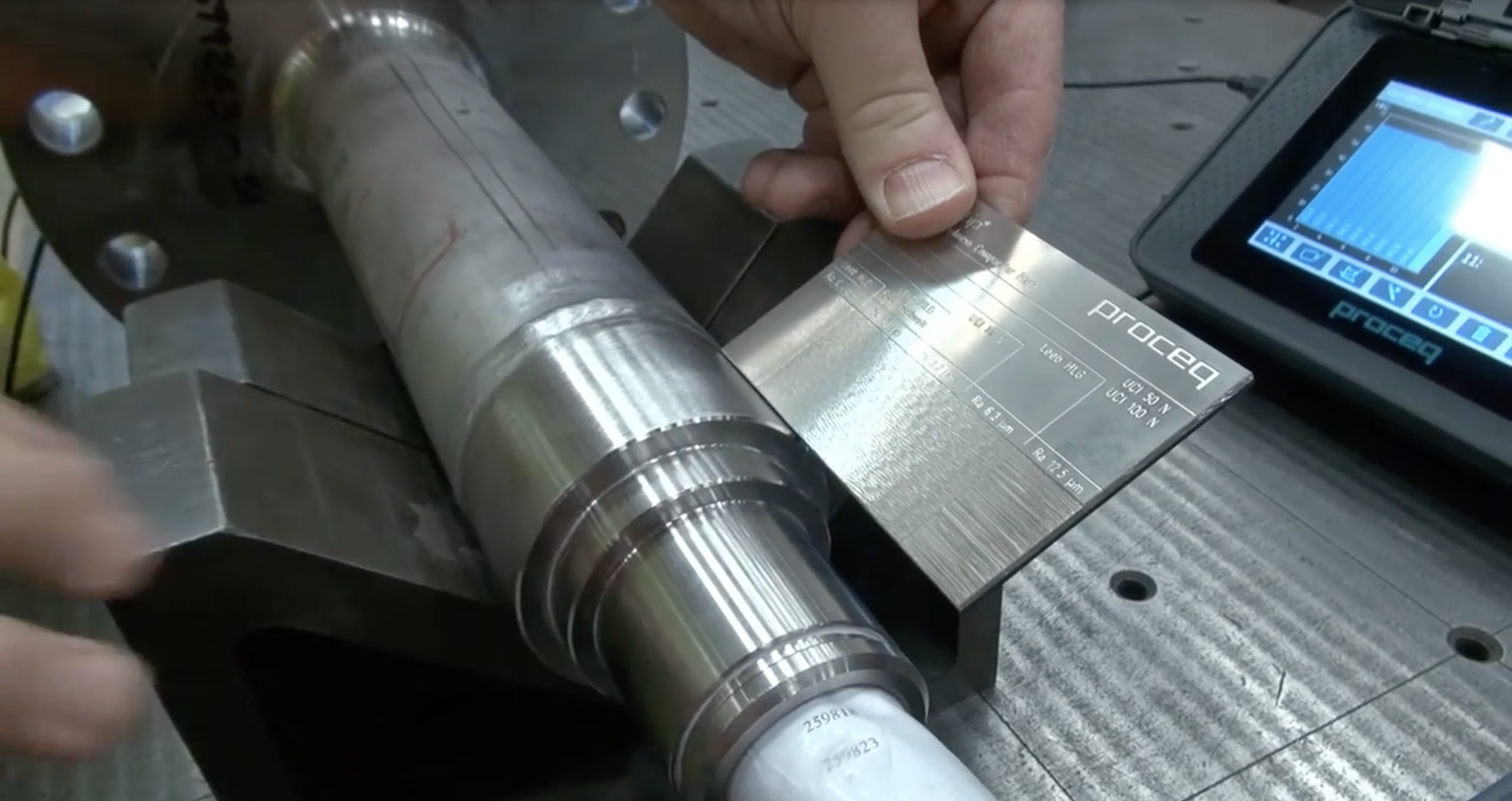
Fig. 6 — Checking the surface roughness comparator plate again
Pro-Tips for the Field
- Check the App/Device: The Equotip 550 provides specific recommendations for surface preparation based on the connected impact device.
- Keep it Portable: A comparator plate is small enough to fit in your pocket, making it the perfect "sanity check" for field technicians.
- Safety First: Always wear appropriate PPE when using power tools for surface preparation.
By following these steps, you can eliminate variables and have full confidence that your Equotip readings are accurate and repeatable.
Learn more about surface preparation in the portable hardness testing ebook (page 52).